Supervisor view
Failed items and follow-up visibility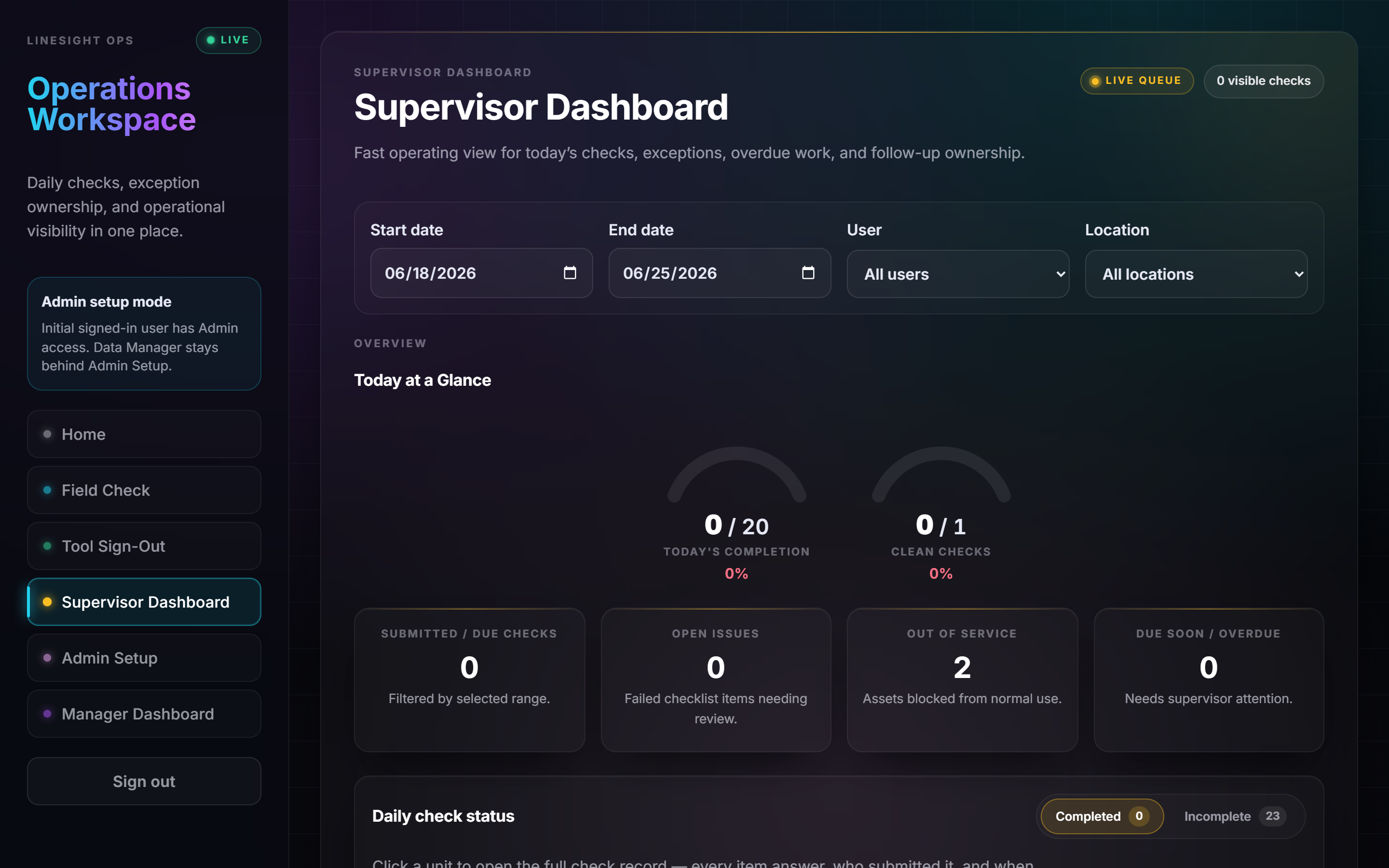
A supervisor sees what was submitted, what failed, and what still needs follow-up — without chasing paper, texts, or end-of-shift cleanup.
I spent 24 years inside operations, and I build the automation myself. You're not getting a strategy deck from someone who's never run a shift — and you're not getting a dev shop that builds what it's told without knowing whether it's the right thing.
Start with a $750 operations automation audit: five business days, a ranked list of what's actually worth automating, each item costed against your own labor numbers. The full $750 credits toward a build if you go ahead within 30 days.
Submitted checks
Open issues
Every operation we look at has at least two of these running. They're expensive, they're boring, and no one's identity is attached to protecting them — which is exactly why they're the right place to start.
BOLs, PODs, packing slips and carrier invoices arrive as email attachments and scans, and someone keys them into the WMS or TMS by hand. Universally painful, and measurable in hours.
End-of-shift summary, daily ops report, weekly KPI deck. A supervisor assembles it out of three systems every single day, and it's the same assembly every time.
“Where's my load?” answered one at a time, all day, by someone doing the same three lookups before writing the same reply.
Inspection logs, training records and audit prep living in binders and spreadsheets — records that exist, but can't be retrieved on demand when someone asks.
Almost nobody selling AI automation into logistics has actually run an operation, and almost nobody who has run one can build the fix. That combination is the whole offer: I diagnose it because I've lived it, and I build it because I can.
Every operation runs on some version of that report, and in every one of them a person writes it. The system I run my own business on doesn't work that way: each process logs what it did, what changed, the current state, and what's still open — into one shared daily file, automatically. The next shift picks up cold without asking anyone.
What happened, what changed, where things stand, what's still open. The difference is that assembling it isn't a person's job.
The record is written as the work happens, not reconstructed at the end of a shift from memory and three browser tabs.
Not a slide deck of one. On a call I'll open the real thing and show you the entry that wrote itself this morning while I wasn't looking.
These are real screens from an inspection and accountability system we built — the compliance-records workflow from the list above, running end to end. They're here for one reason: to show that when a build is scoped, something real gets delivered.
A supervisor sees what was submitted, what failed, and what still needs follow-up — without chasing paper, texts, or end-of-shift cleanup.
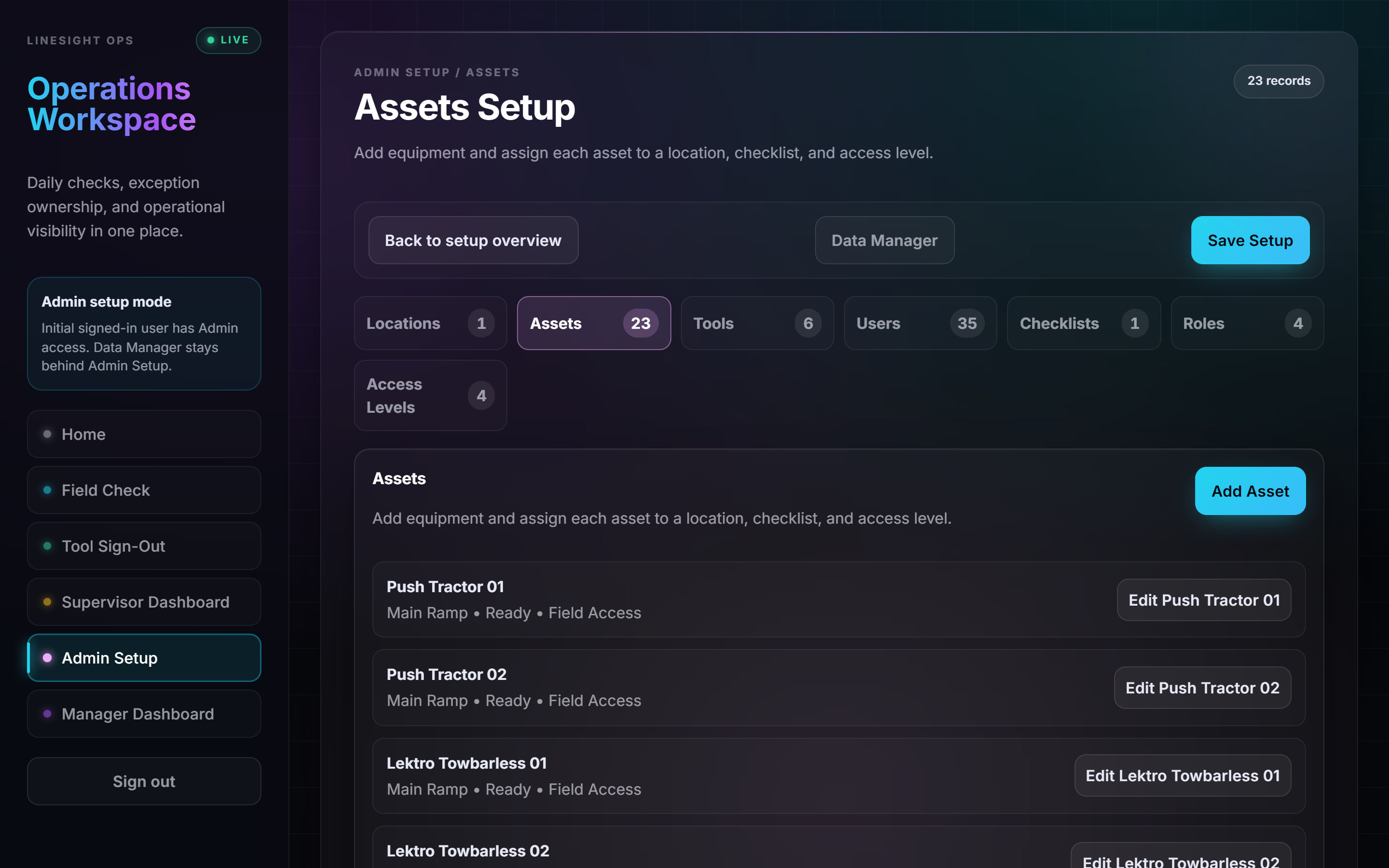
Real operating data configured behind it: locations, assets, users, checklist rules, roles, access levels, and a review path.
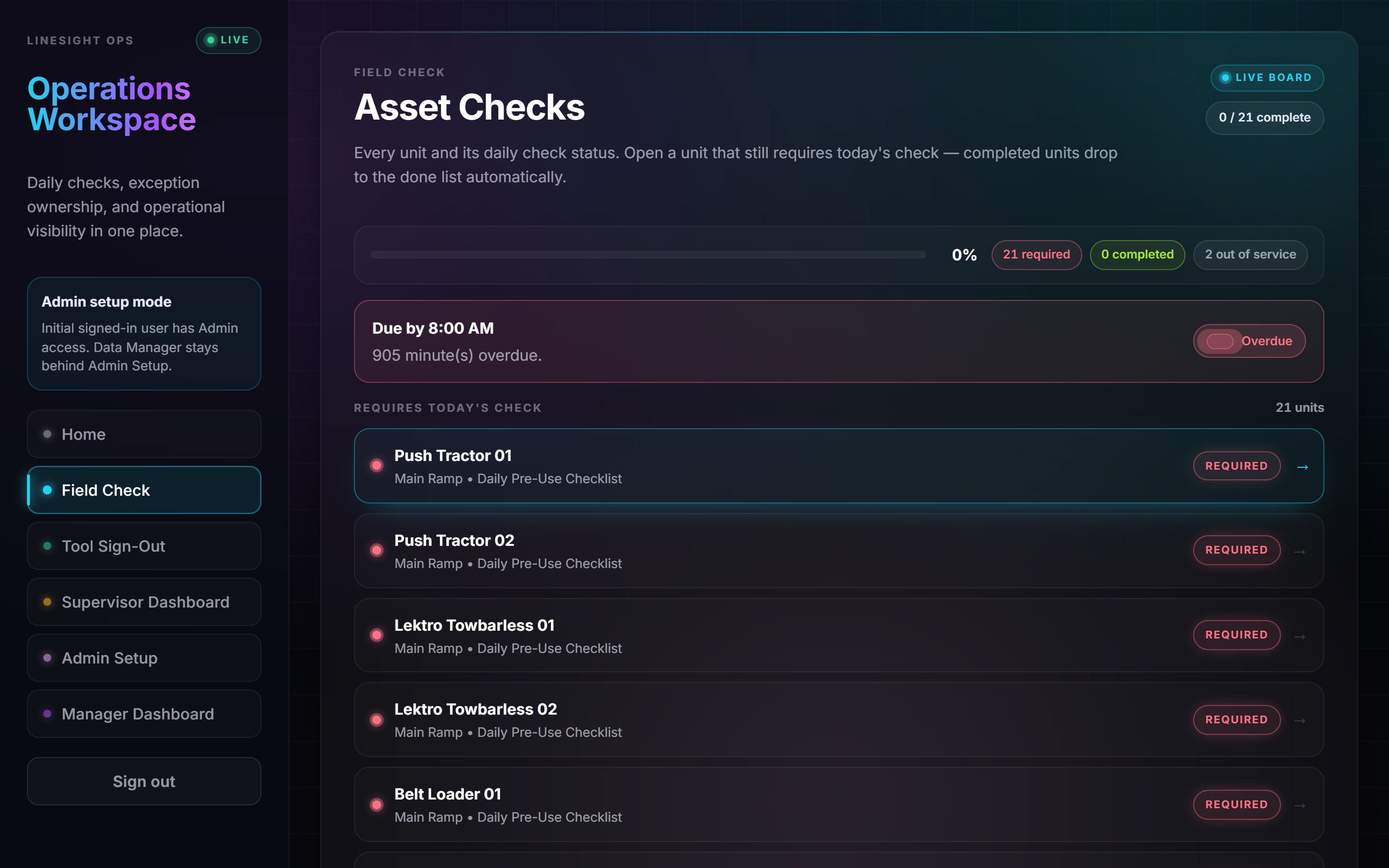
The person on the floor picks the unit, completes the required items, and submits a record that a supervisor can actually see.
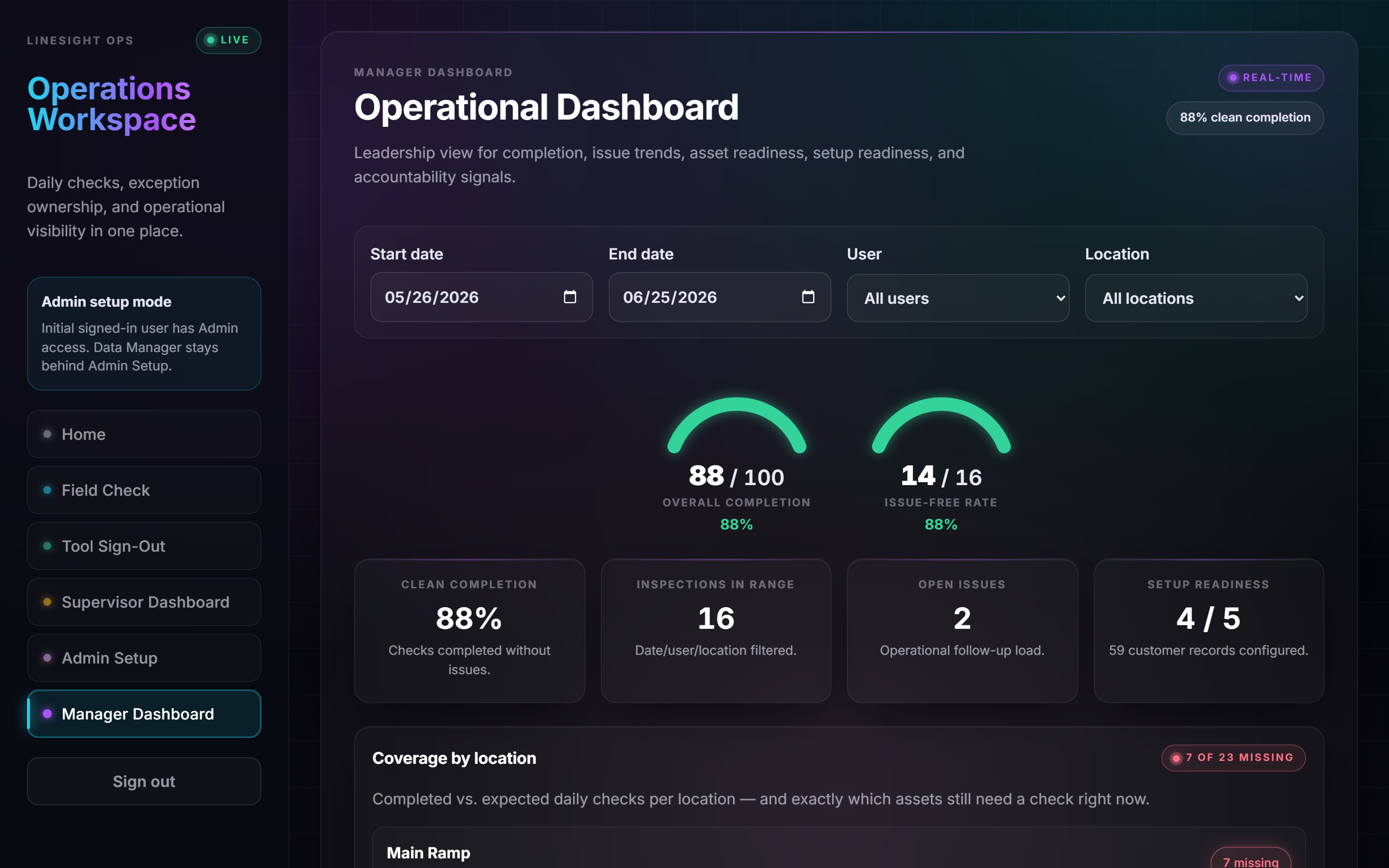
A manager gets the short version: what's been submitted, what's open, and what's still outstanding.
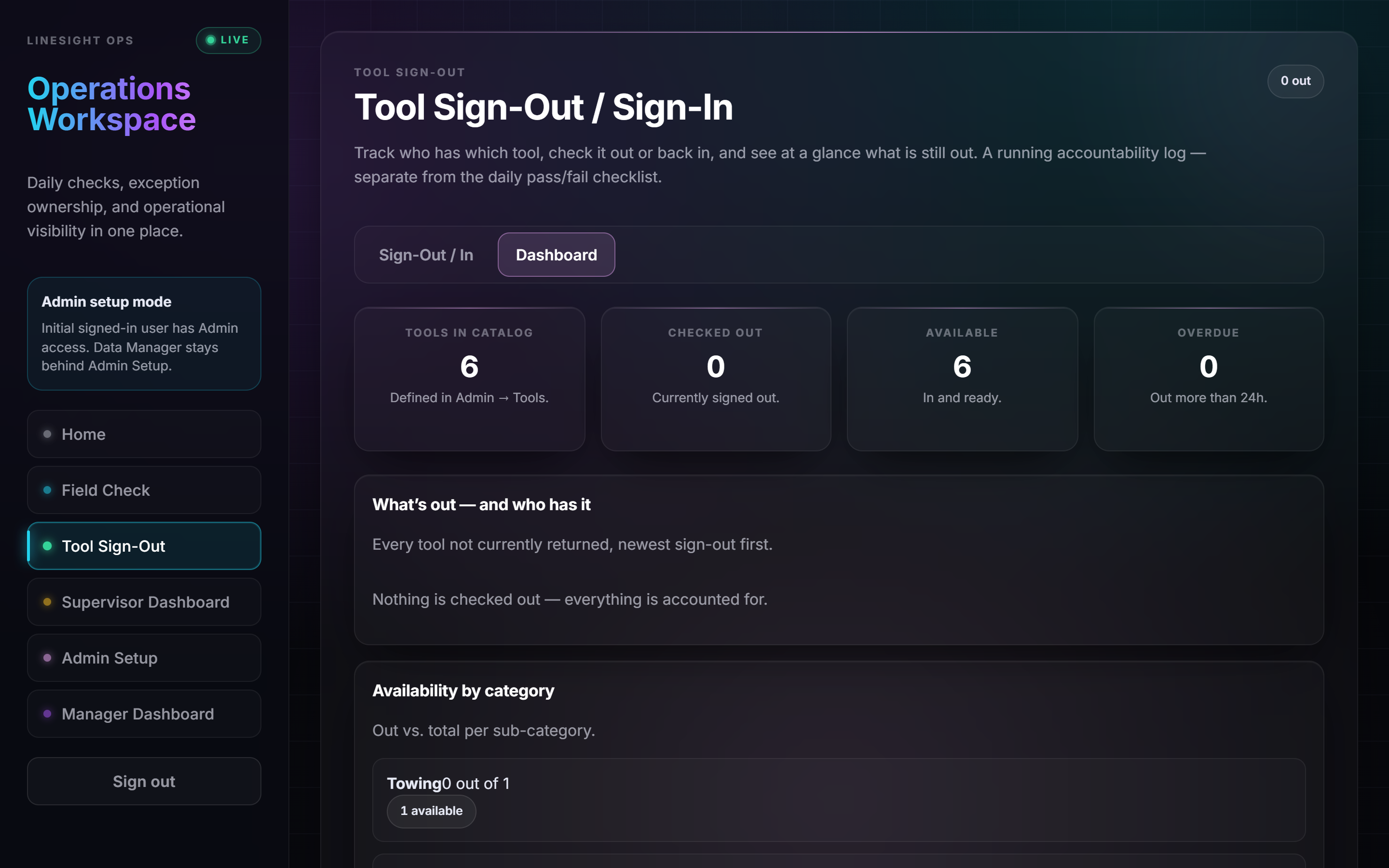
A second workflow in the same system: a running log for shared tools and equipment, kept separate from the daily checklist.
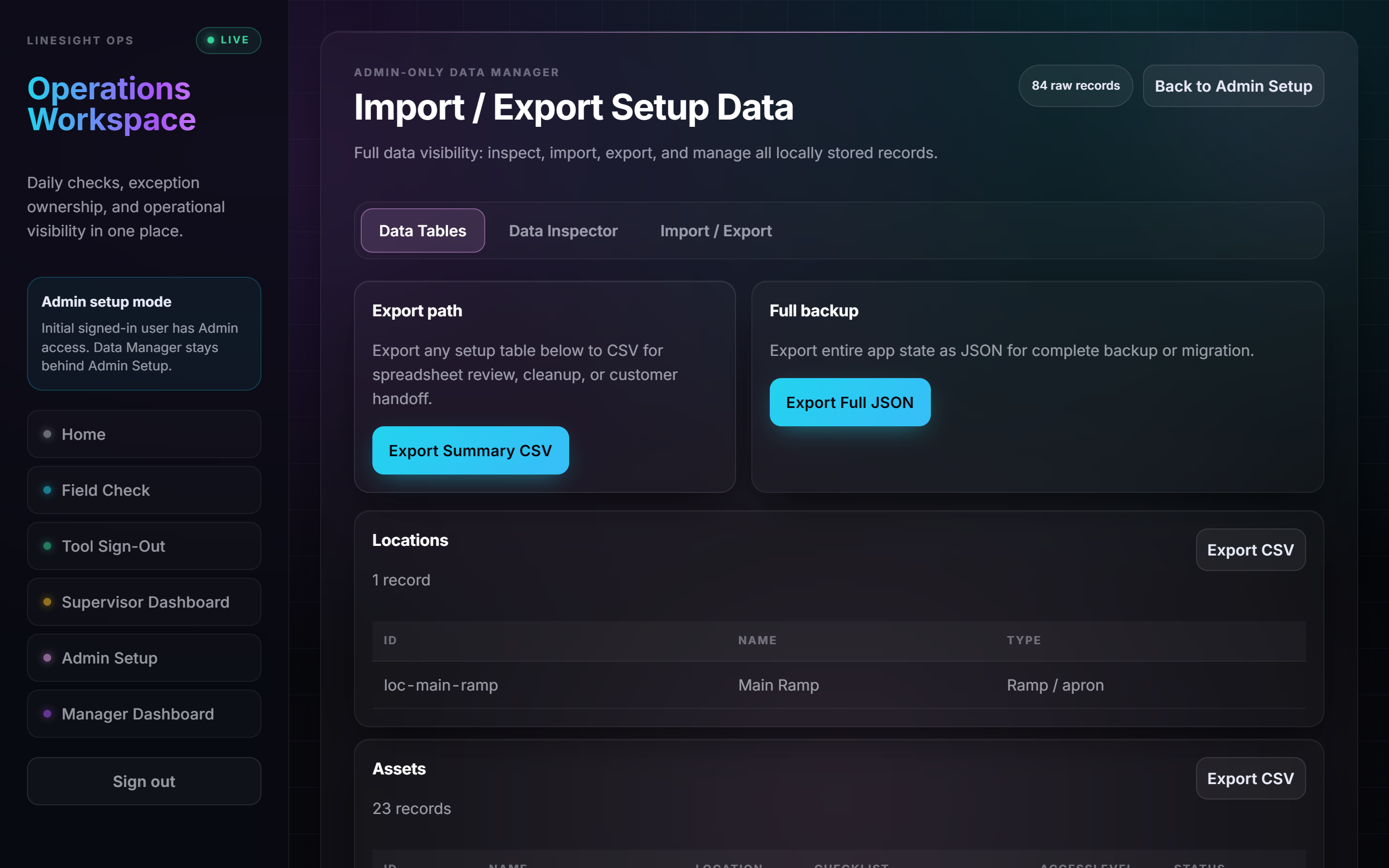
Your records shouldn't feel trapped. Export and handover are part of how a build is delivered, not an upsell.
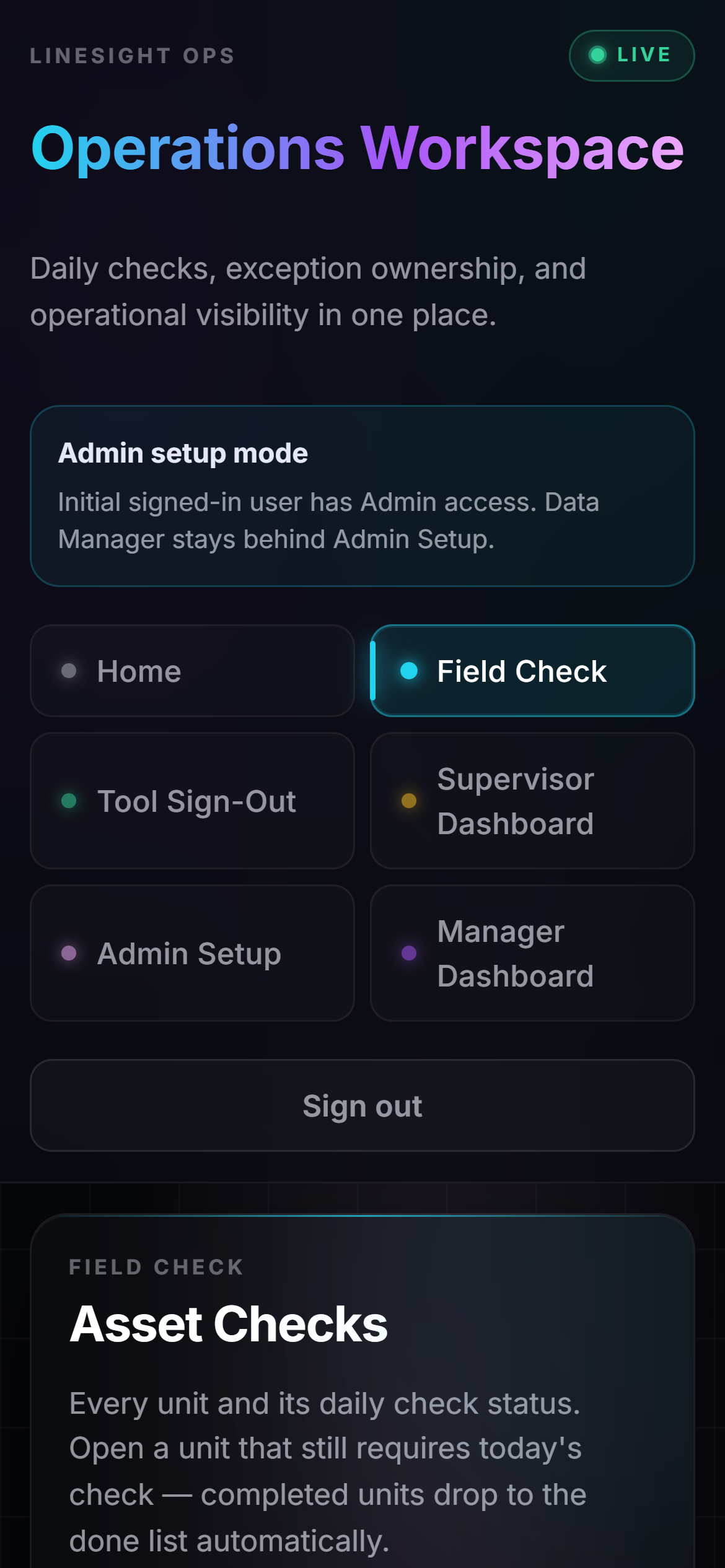
Built for the device the work actually happens on.
A build is two to three weeks of real work, and I'd rather finish yours than juggle three. Audits run in parallel — the build queue does not.
Five business days from the working session to your ranked findings. This is the part you can start this week.
If the queue is full when your audit lands, you'll be told a real date rather than sold a slot that doesn't exist.
You're dealing directly with the person doing the work. There's no account manager between you and the build.
Nobody should buy a build before someone has looked at the operation. So the first step is small, fixed-fee, and worth having on its own — and it pays for itself against the build if you continue.
A 90-minute working session, plus you send real artifacts: a week of the relevant inbox, a sample of the forms, the report someone builds by hand. You get back a ranked list of automatable workflows — each with the hours currently going into it, what that costs at your loaded labor rate, and what it would cost to build.
One workflow, end to end, running in your environment. Fixed scope, fixed price, and one success metric written into the agreement before any work starts — the kind you can check: “this goes from 12 hours a week to under 30 minutes.”
Run it, watch it, extend it, and add the next workflow each quarter. Offered only after a build has been live and working for 30 days — there's nothing to retain before that.
Intake, 24 hours ahead.
A short questionnaire so the working session isn't spent establishing what you already know.
The working session.
90 minutes with the people who actually do the work — not just whoever signs. You send real artifacts: the inbox, the forms, the hand-built report.
Ranked findings, five business days.
Every automatable workflow, with hours going in, what that costs you, and what a build would cost. Including the ones I'd leave alone.
Pick one.
We agree the single workflow and write down the success metric before any build starts. Fixed scope, fixed price.
Build it in two to three weeks.
In your environment, with the people who'll use it seeing it before it's finished rather than after.
Prove it, then decide.
Measured against the metric we wrote down. Then you either take it and run, or keep me on for the next one.
Default is your infrastructure. That keeps your operational data where your policies already cover it, and it means what I build doesn't quietly become something you rent from me.
Runs on your cloud or your on-prem. Hosting by me is possible, but it's a deliberate decision we make together, not the default.
Data stays in open, readable formats and exports cleanly. If we stop working together, nothing gets held hostage.
What I build for your operation is used by your operation. I'm not counting logins.
Better records make audits easier, but this isn't legal advice and it isn't a compliance guarantee. Your safety and compliance owners still own checklist content and retention.
Separate from the automation work: self-serve products that stand on their own. Useful if you're not ready for an engagement, or the problem you have today is smaller than a build.
A done-for-you AI acceptable-use policy and governance toolkit for small business: ready-to-use templates, vendor-risk checklists, an incident playbook, a state-law quick reference, and an interactive policy generator. Built for the 2026 wave of AI rules.
A practical guide and printable worksheets for working out what's required, completed, missed and still open across your workflows — using the tools you already have. The cheapest possible first look.
Because a free one costs me three days and attracts people who were never going to build anything. $750 filters for real intent, and it comes straight back off the build if you proceed within 30 days.
Then that's the finding and I'll say it plainly. You keep the ranked list either way, and you've spent $750 instead of $5,000 finding out.
Your environment by default — your cloud or your on-prem. I can host it, but that's a decision we make deliberately rather than the default.
No. Almost never the right move. The work is usually about the manual handling around those systems — getting documents into them, and getting reports out — not replacing them.
That's the normal case, and it's who this is for. It does mean handover matters, so it's built to be run by your team and documented for the person who inherits it.
Fair question, and the reason the proof section exists. On a call I'll also show you the system I run my own operation on, including the shift report that writes itself.
Five business days from the working session to a ranked list with your own numbers on it. Bring the report someone builds by hand — that one's usually the fastest win.
A week of the relevant inbox, a sample of the forms, and the recurring report a person assembles.
Every automatable workflow ranked, with hours going in, what it costs you now, and what a build would cost.